
Create an appointment
Create an appointment
The calendar takes four types of appointment: a patient appointment, a meeting, a private appointment and a case conference. The two types tied to a patient are covered below.
Create a patient appointment
There are two ways to do this.
Drag from the patient list
- Drag a patient from the patient list onto the slot you want in the calendar.
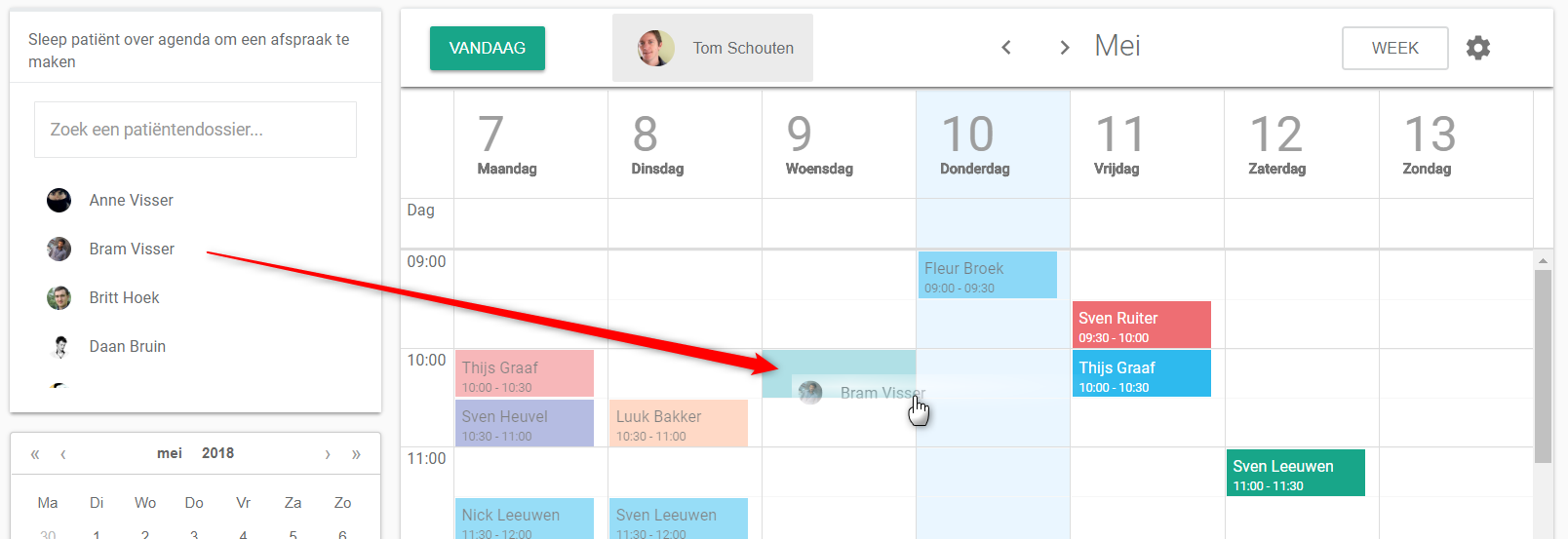
A pop-up window opens for the appointment details.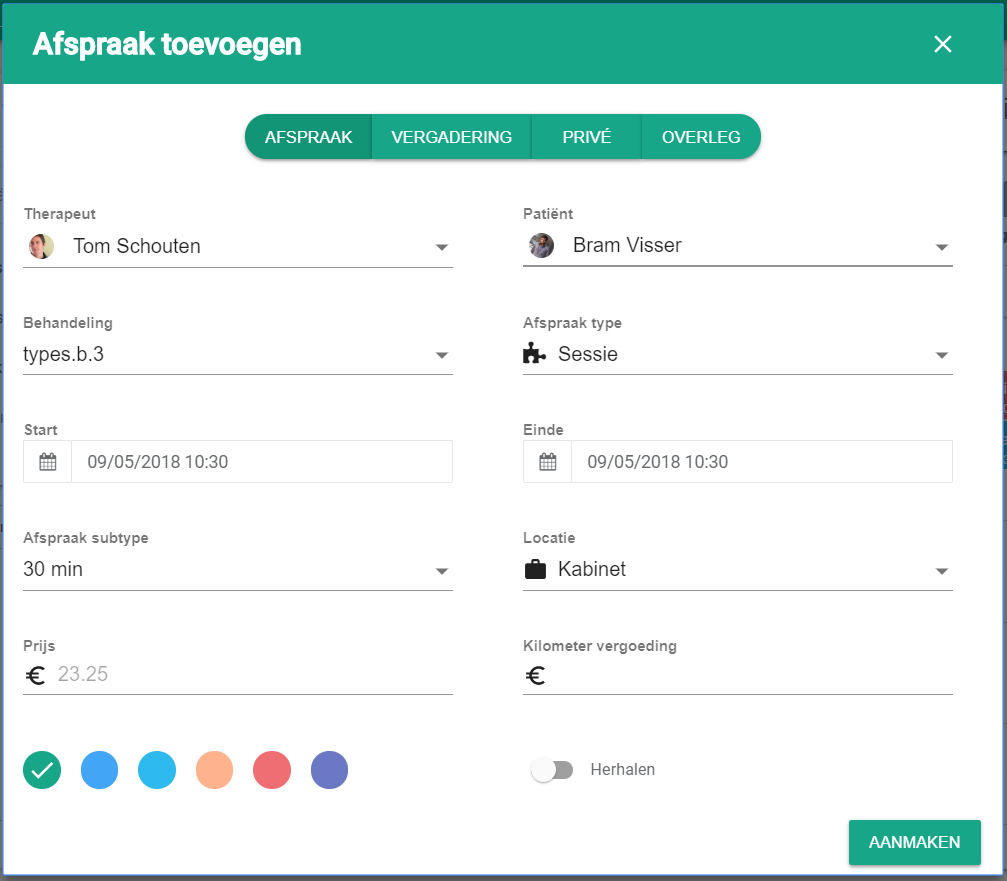
- Click create.

Click in the calendar
- Click the slot you want in the calendar.
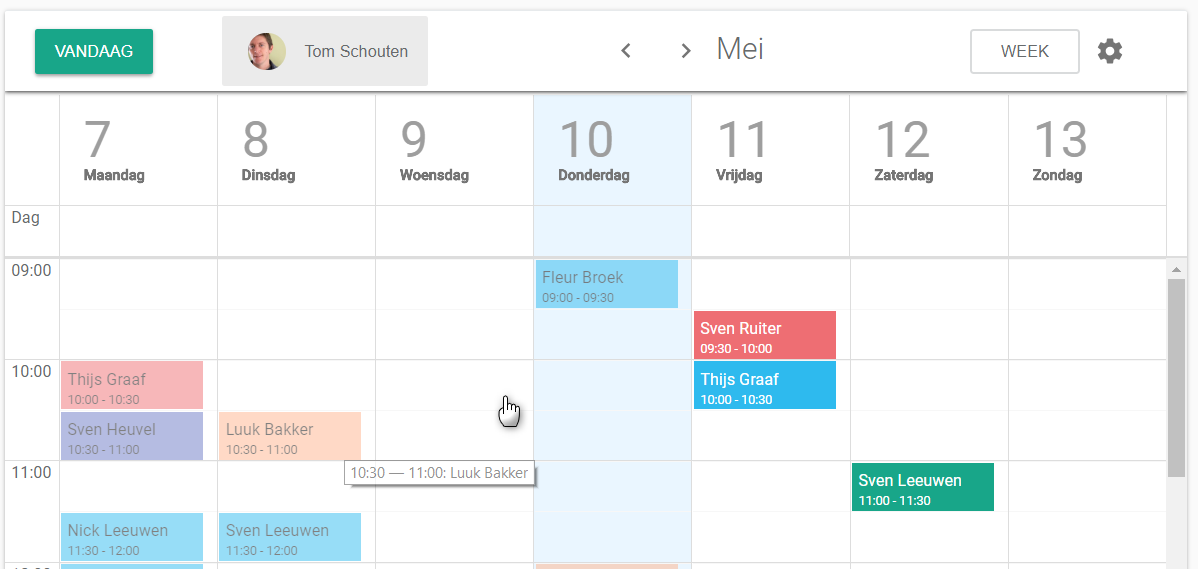
A pop-up window opens. - Select the patient under patient.
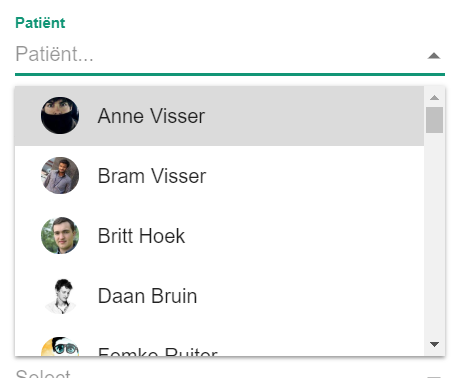
If reimbursement applies, extra fields appear for the appointment details. - Click create.
Create a case conference
- Click the slot you want in the calendar.
A pop-up window opens. - Click the case conference tab at the top of the window.

- Fill in the details of the case conference.
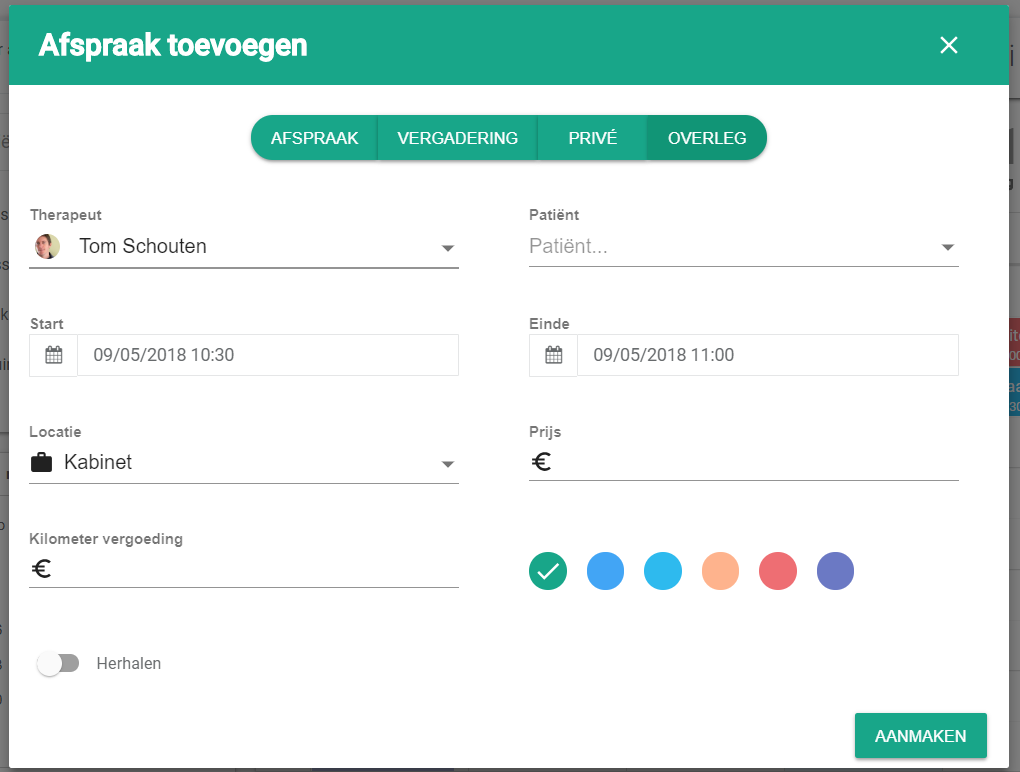
- Click create.
Nog een vraag?Open een ticket, wij bekijken het samen met u.
Open een ticket