
Upload a report
Upload a report
You keep reports electronically in the patient file, in the reports tab. Word and pdf are the usual file types.
Click patient files in the left-hand menu.

Click the name of the patient whose report you are uploading.

Go to the reports tab.

Click the
 icon.
icon.
If the file has no report yet, click the new report button.

Select the upload tab.
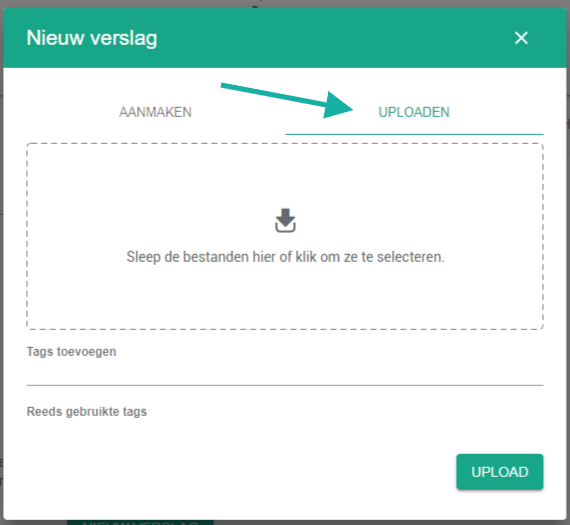
Click the upload window and pick the file.

You can add tags to the file. That makes the report easier to find later.

Click the upload button.

Nog een vraag?Open een ticket, wij bekijken het samen met u.
Open een ticket